How To Turn Your Pinterest Idea Pins Into Instagram Reels
Do you find yourself juggling too many hats as a blogger and business owner? Not only are you expected to market your business on all the platforms, but your also creating content, monetizing, analyzing, and more. It can get really overwhelming really quickly if you’re doing it alone.
So when I can find ways to work smarter (aka be everywhere with less effort) I definitely run with it. Which brings me to this time saving social media hack I’ve been testing: turning your Pinterest Idea Pins into Instagram Reels.
Update: The multi-page idea pin format as it existed when writing this article no longer exists on Pinterest. In late 2023-2024, Pinterest introduced a more streamlined pin type which combined the previous pin formats into a single creation tool. Feel free to read this article if you’re still curious about Pinterest’s evolution, or learn more about the new pin format.
What Is A Pinterest Idea Pin?
I cover this more extensively in my blog post, Pinterest Idea Pins: How To Fit Them Into Your Pinning Strategy, however, I’ll give a quick rundown here for context.
If you think of Pinterest Idea Pins like Instagram Stories, it’s really easy to get the gist of it.
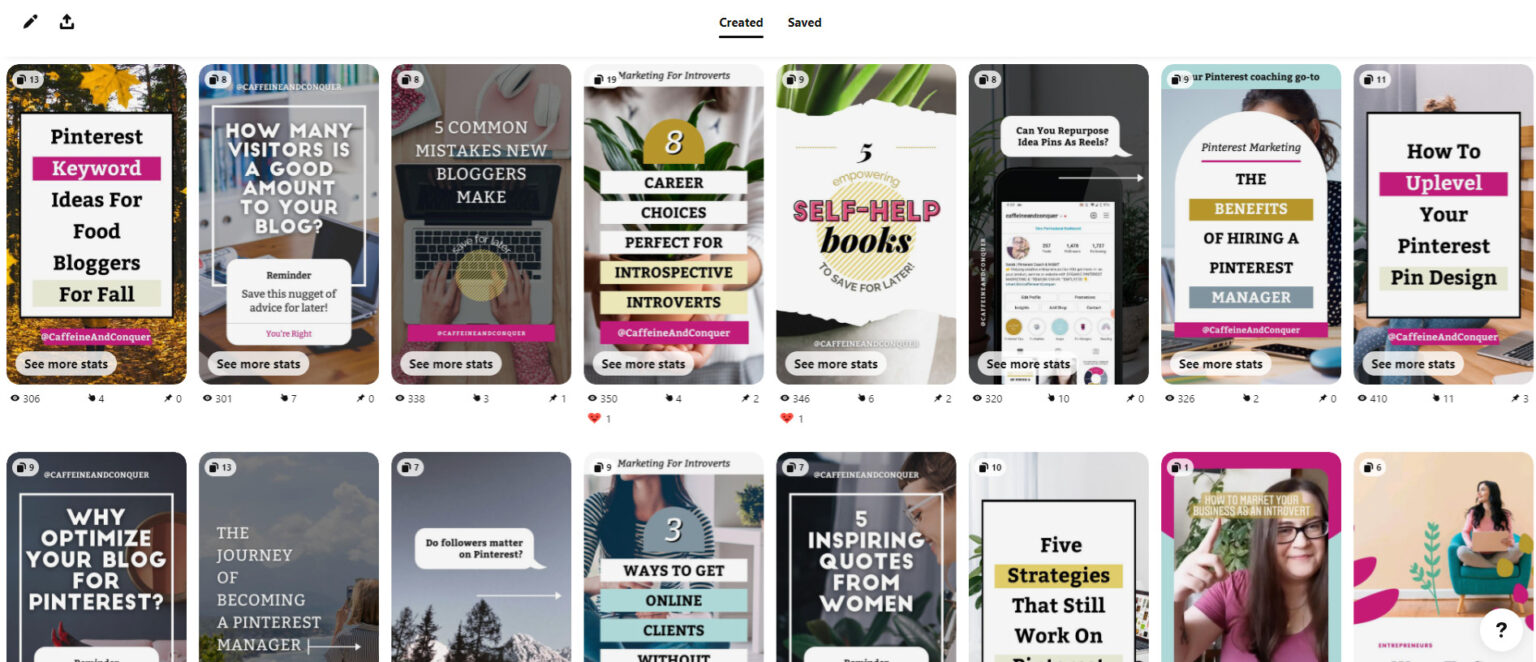
They are a carousel type pin created to connect creators with their audience by encouraging follows and reactions. However, unlike Instagram, where Stories only last 24 hours, Pinterest Idea Pins stay on the platform indefinitely. This means they have the potential to drive engagement for your brand for weeks, months, or years down the road.
If you’re already using Pinterest Idea Pins and are also on Instagram, you will love this content repurposing hack I’m sharing here.
What Is An Instagram Reel?
An Instagram Reel is the platforms version of a TikTok (and a lot of fun to make). They are up to 60 second, entertaining video clips where people get to express themselves and their brand.
Like Idea Pins, they live on your profile page for people to access and can drive engagement after posting through searches like hashtags and the algorithm showing it to people who might be interested.
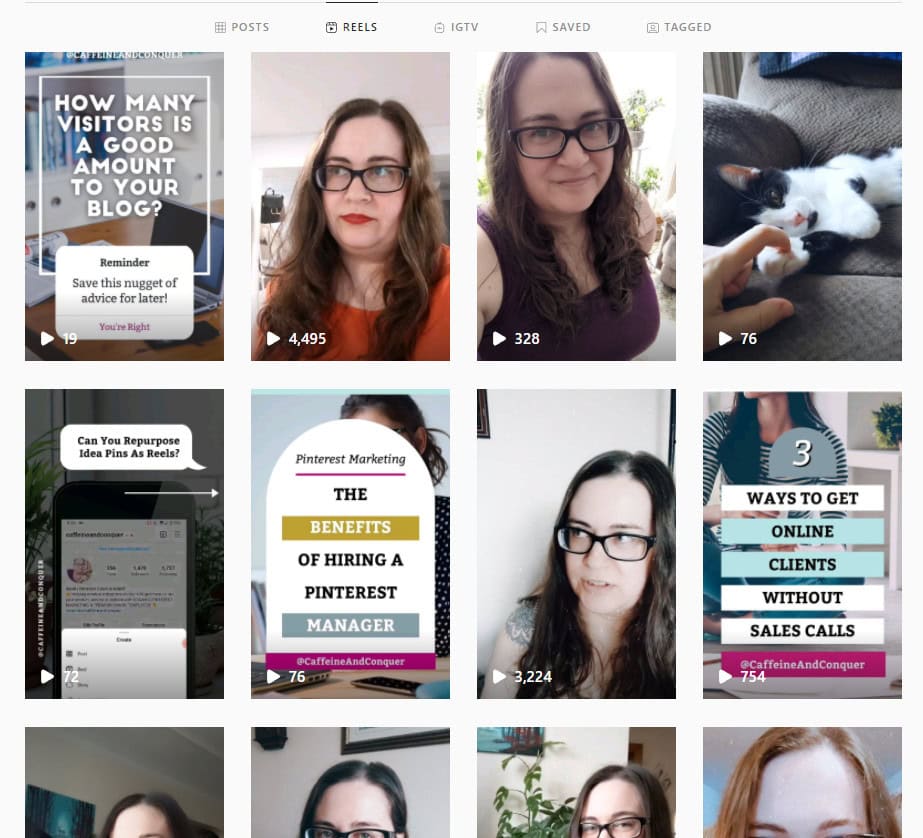
Since Instagram Reels and Idea Pins are the same size, it’s extremely easy to repurpose either of them if the content makes sense for that platform.
What Are The Benefits Of Repurposing Pinterest To Instagram?
Save Time On Content Creation
You’re already committing time to creating content for your website, social media, Pinterest, email list, etc. Why not make it more efficient? Repurposing content is a great time saving strategy for solopreneurs or those without a budget to hire someone to manage each of these marketing areas.
Pinterest Idea Pins and Instagram Reels and Stories are a match made in heaven. Not only do they share the same size aspects, but they also have a similar goal – to increase engagement and help you connect with your audience.
Reach A New Audience
If you’re more active on Pinterest than Instagram, you can be missing out on diversifying your traffic. Now that you know you can reuse your Pinterest Idea Pins on Instagram, it’s easy to be active on both platforms without sacrificing more time.
Take Advantage of New Platform Features
Instagram Reels and Pinterest Idea Pins are the latest features on these two platforms. As a result, it’s a lot easier to go “viral” and their reach is amazing. This might not last forever, but for now, it’s a quick way to reach new people!
Provide More Value For Your Audience
As a business, providing value to your audience is a great way to build trust and avoid looking salesy online. What’s great about Idea Pins is they work really well as step by step tutorials that show pinners how to do something. Whether it’s how to make a certain recipe, style a pair of blue denim jeans, or create a kids craft, you’re providing value.
This type of content does well on Instagram as well, and increases engagement through saves. Like Instagram carousels, people love to save Instagram Reels that show them how to do something they can refer back to.
If your Idea Pin provides value in that form it will do well on Instagram as well!
How To Turn Your Pinterest Idea Pins Into Instagram Reels
If you’re looking to create more Instagram Reels without adding to much work to your already busy week, follow these steps.
Create Your Pinterest Idea Pin
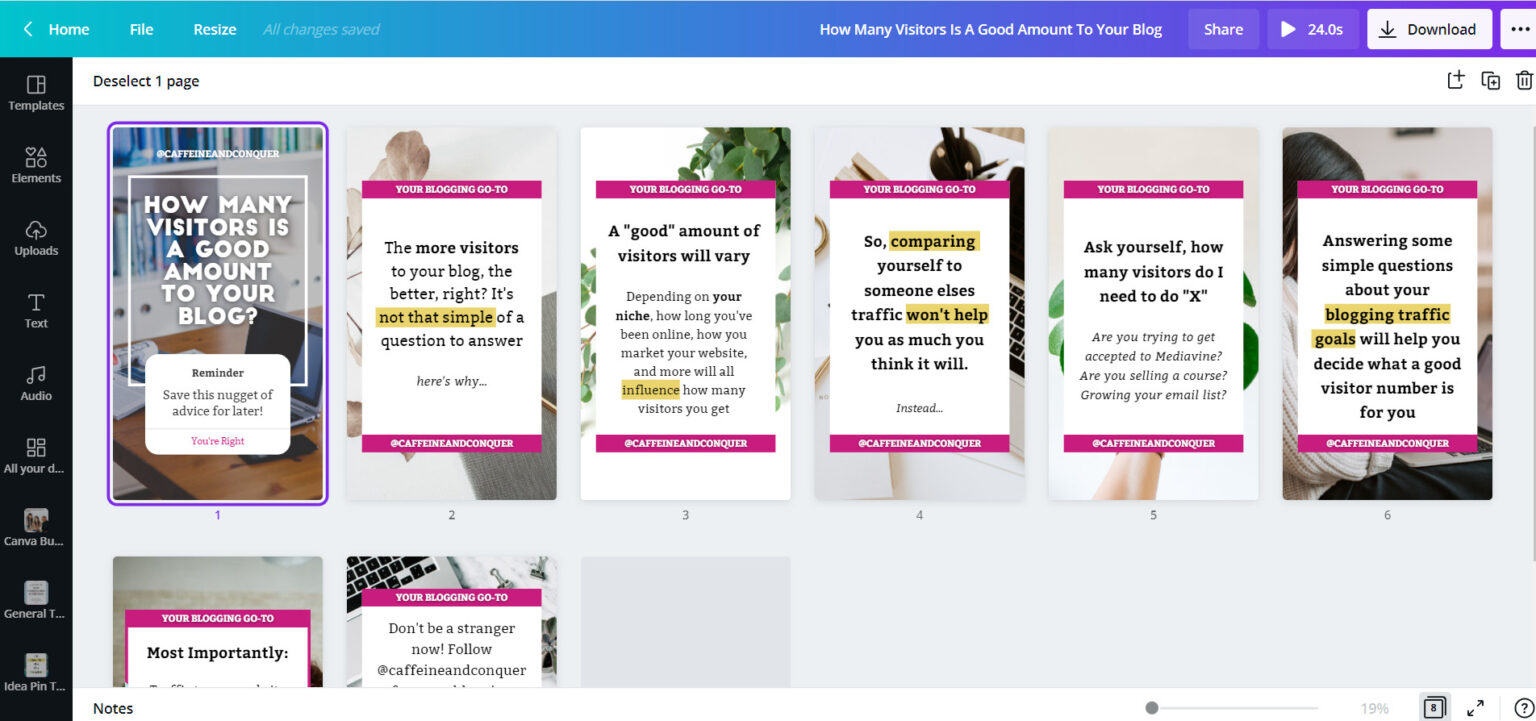
Using Canva, create your Idea Pin using the size 1080 x 1920 px. If you’re downloading your finished pin for Pinterest you would download them as .PNG images. However, since we’re also using this as a Reel we need to create a video file as well.
Add Animations To Your Video
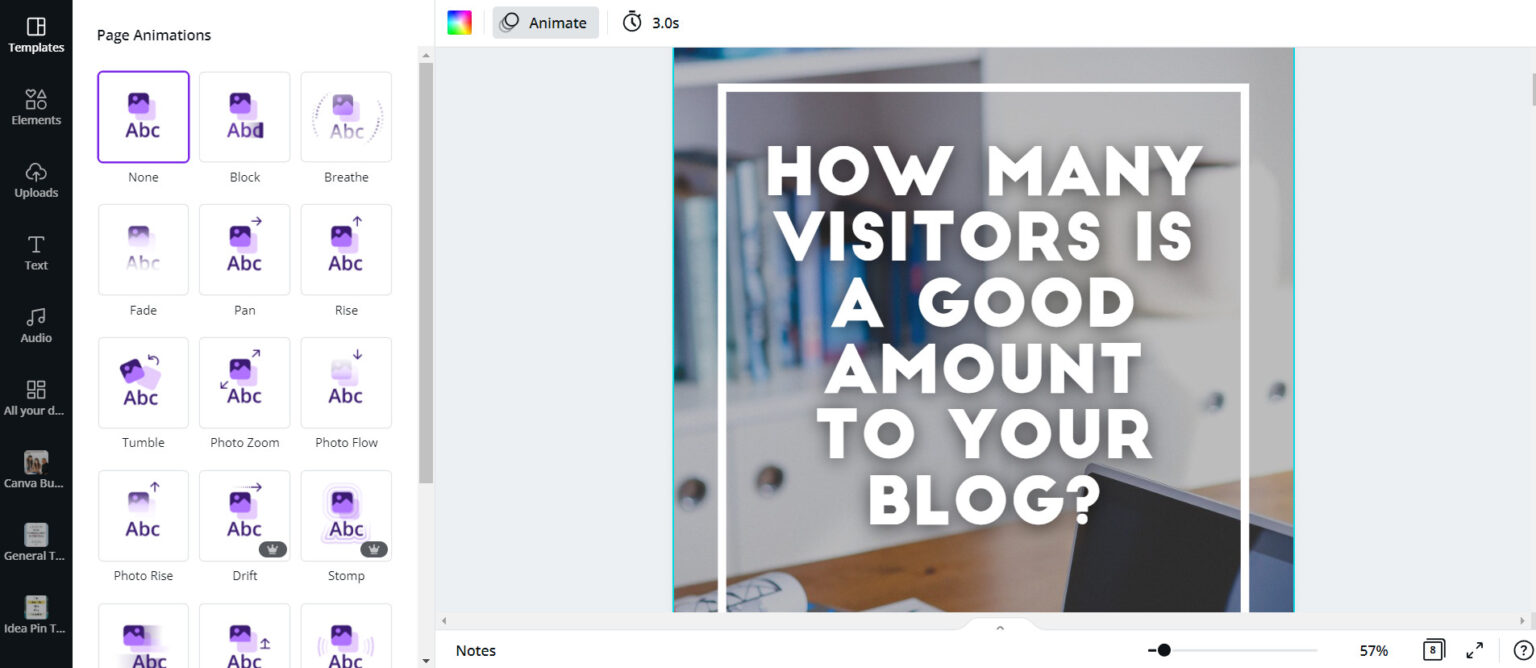
To add animations to your Canva images, select “Animate” and choose the one you like. You will need to do this for each image you created. I also recommend setting each animation between 3-5 seconds long. Instagram Reels do better when they are short! For example, a 7 page Idea Pin at 5 seconds each slide would be 35 seconds long.
Save Your Pinterest Idea Pin To Your Mobile
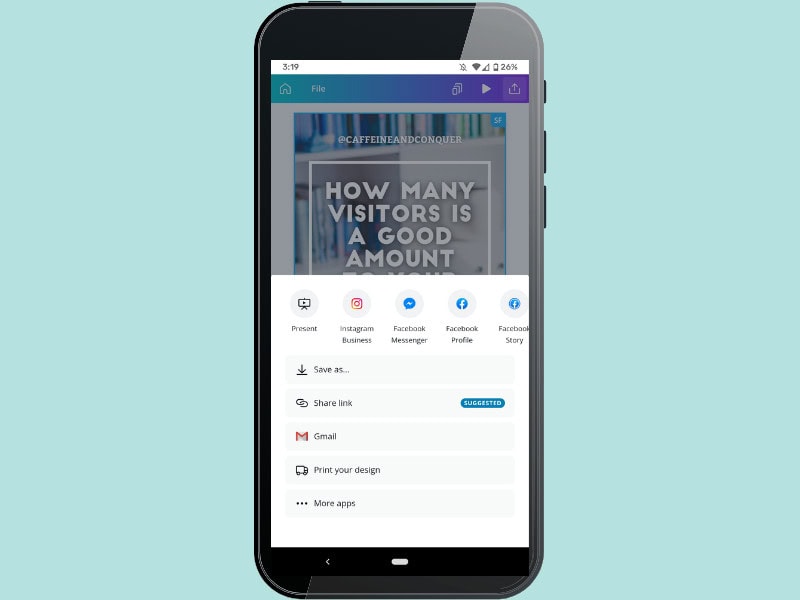
Once your Idea Pin is designed, animated, and timed perfectly for Reels, access the Canva app from your mobile phone and save to your device as a .MP4 file.
Upload and Publish Your Instagram Reel
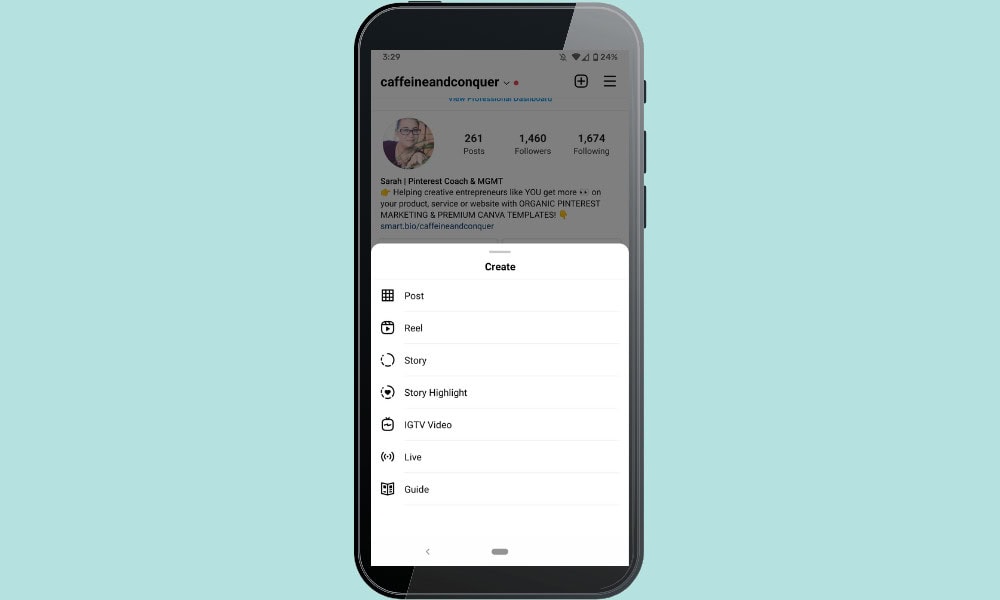
Head to your Instagram App, and select the option to upload a Reel. Upload your video from your mobile to Reels. You can then edit it further by adding a voiceover, music, effects, stickers and more.
Hit publish!
Pinterest Idea Pins To Instagram Reels: Final Thoughts
Are you excited to share your Idea Pins on Instagram and start saving more time in your day? What kind of content can you not wait to share with your IG followers?
What Next?
Want to learn more about Pinterest Idea Pins? Click below to learn more from my latest article.