The Best Free and Paid Pinterest Marketing Tools For Online Business Owners
If you’re an online business owner just diving into the world of Pinterest marketing, you’re in the right place! Pinterest isn’t just a platform for pinning pretty pictures—it’s a powerful tool for growing your business.
But with so many Pinterest marketing tools out there, it can be overwhelming to know where to start. Don’t worry, though! I’ve rounded up the best free and paid Pinterest tools that will save you time, help you design click-worthy pins, and keep your marketing strategy running smoothly. Whether you’re just getting started or looking to level up your Pinterest marketing strategy, these tools have got you covered.
Disclosure: this post may contain affiliate links, meaning, at no additional cost to you, i may earn a small commission from any purchases made through them
If we’re talking Pinterest marketing tools, we have to talk schedulers
If you’re serious about growing your business on Pinterest, a good scheduling tool is a game changer. Manually pinning every day? That’s a fast track to burnout. The right scheduler keeps your Pinterest strategy running smoothly in the background while you focus on everything else in your business.
Some people like to batch a week or even a month’s worth of pins, while others plan for the entire year (yes, really). No matter your style, a Pinterest scheduler takes the daily task off your plate so you can stay consistent without feeling overwhelmed.
I personally use Tailwind for all my client accounts, but I’ve tested a few other schedulers that work just as well. If you already use a scheduling tool for Instagram and Facebook, sticking with what you have might make sense. But if you’re starting fresh, Tailwind is my go-to recommendation.
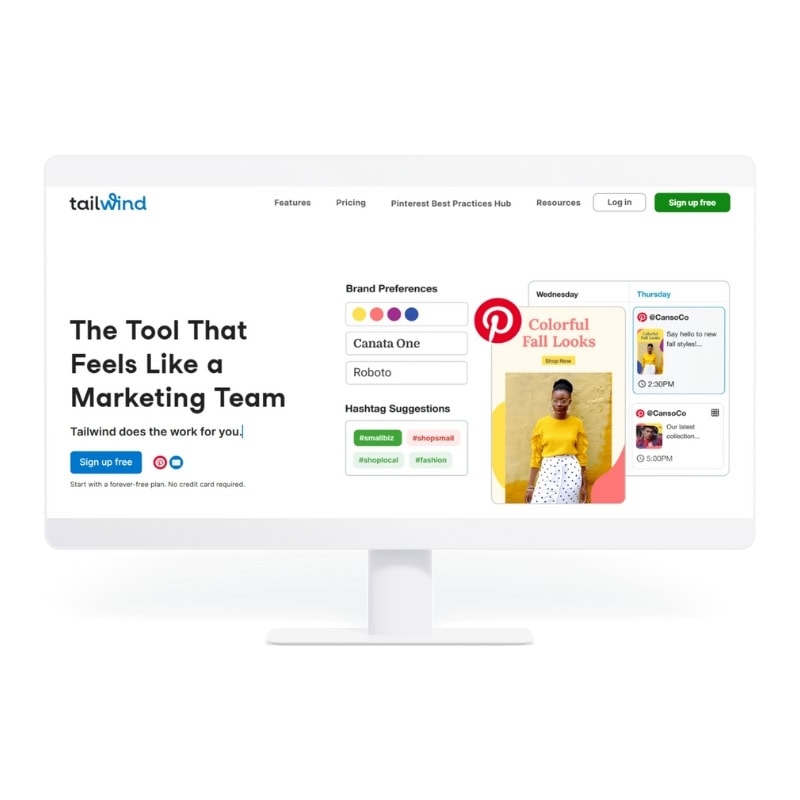
Tailwind Pinterest & Social Media Scheduler
As a Pinterest marketing manager, Tailwind is my ride-or-die tool. It was originally built just for Pinterest and has evolved into a full social media scheduler.
At $14.99/month (billed annually), you get powerful features designed to make Pinterest marketing easier and more effective.
Here’s why I keep coming back to Tailwind:
- They continuously improve their Pinterest scheduling tools.
- Their pin design creator helps you design and schedule pins faster
- They’re the only Pinterest scheduler with interval scheduling, letting you schedule a pin to multiple boards in just a few clicks.
- AI-powered tools help with ALT text, board title ideas, and more.
- Their analytics let you track pin and board performance at a glance.
- They analyzed over 1 million Pinterest pins to provide insights into what’s working right now.
If Pinterest is a big part of your marketing strategy, Tailwind is one of the best Pinterest marketing tools to have in your toolkit.
Planoly: The Pinterest & Instagram Grid Planner
Planoly is best known for its Instagram grid planning, but it also includes a Pinterest scheduler that makes it easy to visually plan and schedule your pins. If you’re already using Planoly for Instagram and want to give Pinterest a try, this could be a seamless option. Plans start at $16/month.
Why you’ll love Planoly for Pinterest marketing:
- A mobile-friendly app makes scheduling on the go easy.
- If you’re a content repurposing queen, Planoly makes it simple to share your pins across different platforms.
Later: All-in-One Social Media Scheduler
Later is another all-in-one scheduler that includes Pinterest, helping you stay consistent without the manual work. Plans start at $16.67/month (billed annually).
Why you will love Later for Pinterest scheduling:
- A visual content calendar to plan your pins at a glance.
- Helps you find the best time to post for more clicks.
- Built-in link tracking to measure every click on your pins.
- Analytics let you compare Pinterest performance with your other social platforms.
Metricool: The New Kid on the Block
I recently started testing Metricool, and I’ve been hearing great things. Like other all-in-one tools, it lets you connect all your social platforms, including Pinterest, to streamline your content scheduling.
Why you will love Metricool:
- Schedule pins with ALT text included.
- Resize images directly in the platform to fit Pinterest’s recommended sizes.
- Create new boards without having to leave the scheduler.
- In-depth analytics and competitor tracking.
- A generous free plan (50 posts/month) plus paid plans starting at $18/month.
Best Tools for Graphic Design on Pinterest
Pinterest is a visual platform, which means design matters. But before you panic—no, you don’t need to be a professional graphic designer to create pins that attract clicks. You just need the right tools.
If you’ve ever tried pinning your Instagram graphics or Shopify product images and wondered why they’re not getting traction, here’s the thing: Pinterest prefers vertical 2:3 pins with high-quality images and text for context. Luckily, there are design tools that make creating scroll-stopping pins easy, even if Photoshop sounds overwhelming.
Here are my top Pinterest design tools to help you market your business like a pro.

Canva Pro: The Most Robust Design Tool For All Levels
If you’re creating Pinterest graphics, Canva is a game-changer. Whether you use the free version or go Pro, Canva’s drag-and-drop editor makes design effortless—even if you wouldn’t call yourself creative.
You can start with one of Canva’s templates, customize it to match your brand, or grab premium Pinterest templates from Etsy, Creative Market, or even from me. And if you’re working with a team, Canva makes collaboration easy—you can share templates directly in the app or via email to keep your branding consistent.
Why Canva Pro is a must-have for Pinterest design:
- Add team members for easy collaboration
- Set up a brand kit so every pin stays on-brand
- Access thousands of stock photos, fonts, and graphics—no more endless searching
- Stay organized with folders to manage all your designs and assets
- Save time with custom templates so you’re not reinventing the wheel every week
Tailwind Create: Automated Pin Generator
I already mentioned Tailwind as a Pinterest scheduling tool, but let’s talk about Tailwind Create—because if you hate designing, this tool is about to make your life so much easier.
Tailwind Create is the ultimate “done-for-you” pin design tool. You just plug in your title, brand colors, and images, and in one click, it generates a variety of professionally designed pins. No overthinking, no design stress, just ready-to-go graphics.
I even made a tutorial showing you how fast you can create Pinterest pins with Tailwind Create.
Why Tailwind Create is perfect for busy entrepreneurs:
- No design skills required—just click, customize, and go
- Generates multiple pin styles in seconds
- Resizes and repurposes designs for other platforms with minimal effort
Adobe Express: Pinterest Pin Maker
If you love the idea of high-quality design but don’t want to learn Photoshop, Adobe Express is a great alternative. Adobe is known for its powerful design tools, but Express simplifies the process so you can create professional-looking Pinterest graphics without the learning curve.
With Adobe Express, you can easily design custom and even animated pins to make your content stand out.
Why you will love Adobe Express for creating Pinterest pins:
- It’s free—so there’s no barrier to getting started
- Adobe is always ahead of design trends, keeping your content fresh
- You can create high-quality graphics without advanced skills
Best Stock Image Websites for Pinterest Pins
If you don’t have a budget for brand photography, stock photos can help you stand out on Pinterest. But not all stock images are created equal—you want photos that feel natural, high-quality, and aligned with your brand. Here are my favorite sources for free and paid professional stock photography.
Unsplash: Free Stock Images
If paid stock photography isn’t in your budget, Unsplash is one of the best places to find royalty-free images. While other platforms like Pexels and Pixabay offer similar collections, I’ve found Unsplash has the most variety.
You don’t need to credit the photographer, and the images are free for commercial and non-commercial use—perfect for social media, blogs, and Pinterest pins. The only downside? Because the images are free, you’ll likely see them used by other businesses.
Why I love it:
- Huge selection of high-quality, royalty-free images
- No attribution required
- Free for both commercial and personal use
HauteStock: Premium Stock Images
If you want premium, feminine, and modern stock photos for your brand, Haute Stock is a fantastic choice. This paid stock photography membership is designed specifically for women entrepreneurs, so the images are polished, stylish, and cohesive. You’ll find everything from lifestyle imagery to flat lays and seasonal collections, making it easy to keep your Pinterest graphics fresh and on-brand.
Why I love it:
- Curated, feminine stock photos for branding consistency
- Exclusive collections, meaning you won’t see these images everywhere
- Includes Canva templates and other brand resources
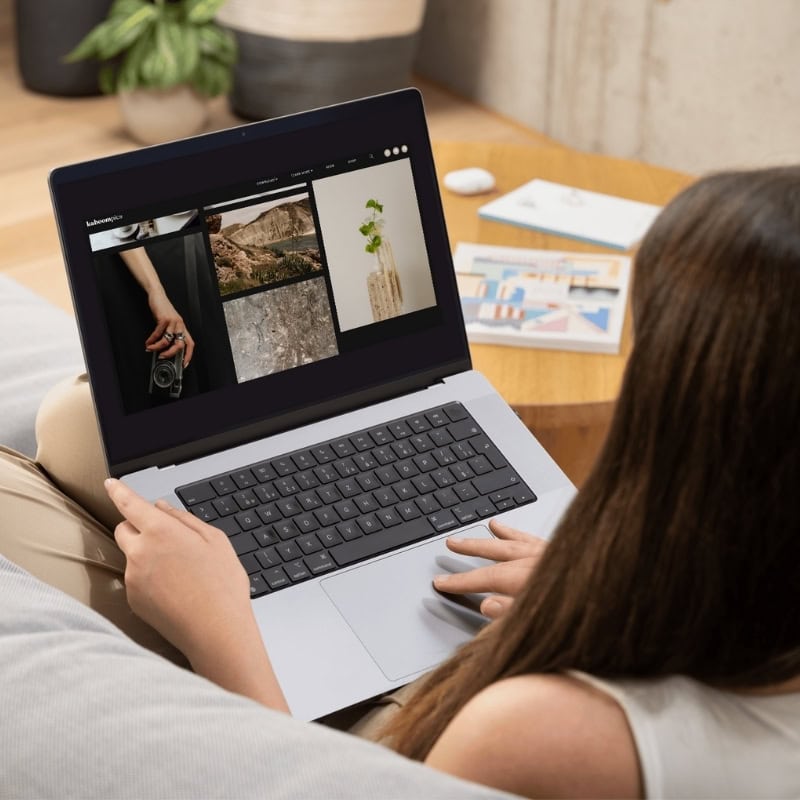
Kaboom Pics: Free Aesthetic Stock Photos
Kaboompics is another great free stock photo site with a more artsy, high-end feel. The best part? Each image comes with a color palette, making it super easy to match photos to your brand colors.
Why I love it:
- Beautiful, modern stock images with a creative edge
- Built-in color palettes to simplify branding
- Free for personal and commercial use
Ivory Mix: Exclusive Images
For a blend of free and paid stock photography, Ivory Mix is a great option. They offer a selection of free images when you sign up for their newsletter, but their membership unlocks a massive collection of stylish, feminine stock photos and Canva templates. It’s a solid choice for bloggers, coaches, and creative business owners who want professional-looking visuals without the DIY struggle.
Why I love it:
- Free stock photos available with sign-up
- Affordable membership for a huge image library
- Perfect for lifestyle brands, entrepreneurs, and creatives
Best Keyword Research Software for Pinterest
Manually searching for keywords on Pinterest is a great way to start, but at some point, you’ll want to stop guessing and start growing with a more strategic approach. The right tools can help you save time, find untapped keyword opportunities, and get your content in front of the right people—without the headache of endless trial and error.
Here are my favorite keyword research tools that make Pinterest marketing so much easier.
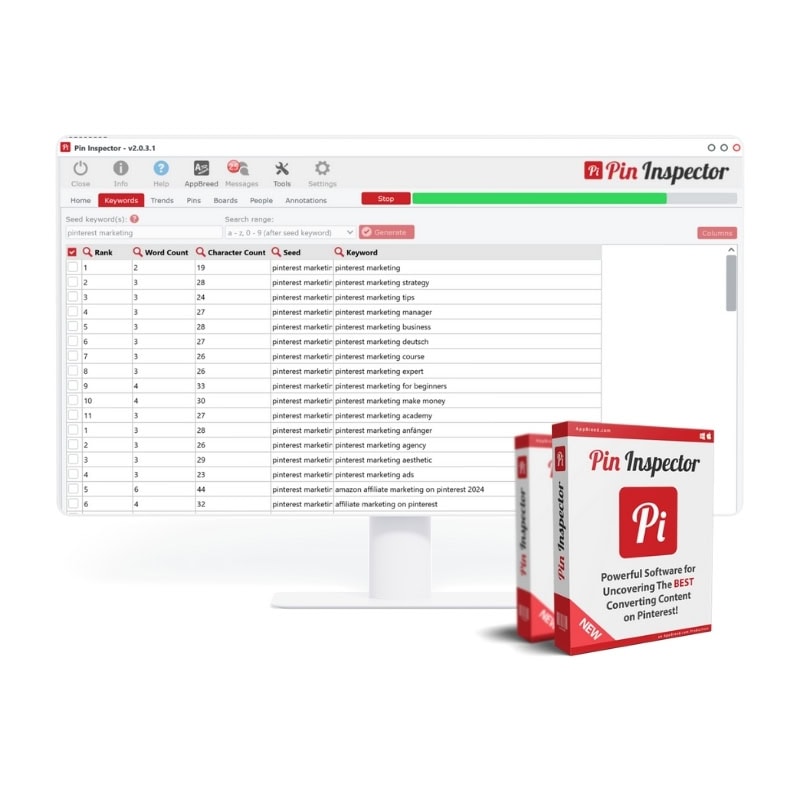
Pin Inspector: Pinterest Research Software
If Pinterest had a crystal ball for keyword research, this would be it. Pin Inspector is a powerful tool that helps you uncover high-performing keywords, trending topics, and competitor insights—all in one place. No more manually digging through search results or hoping for the best!
Why you will love it:
- Finds high-performing keywords fast so you can create content that actually gets seen
- Spies on competitor keywords (ethically, of course) to see what’s working for others in your niche
- Saves time by pulling real-time Pinterest data, so you don’t have to
- A one-time payment for life—NO subscription pricing!
Pinterest Trends
This is Pinterest’s own free tool, and it’s a game-changer for understanding what’s trending and when. If you’ve ever posted a pin and wondered why it flopped, there’s a good chance you missed the timing. Pinterest Trends helps you catch seasonal spikes, growing topics, and evergreen content ideas so you can pin with confidence.
Why you will love it:
- See real-time search trends straight from Pinterest—no guessing required
- Plan content around seasonal spikes (because yes, people start searching for Christmas in July)
- Find related keywords to expand your strategy and attract more of the right audience
Best Analytics Tracking Tools
So you’ve been pinning away on Pinterest, and now you’re probably wondering, “Is it working?” or “Am I doing this right?” Well, to really get the answers you need, you’ve got to dive into your analytics and metrics. Luckily, there are some awesome tools that make tracking your progress easy and insightful. The best part? You can find everything you need right inside Pinterest or your trusty Google Analytics dashboard.
Pinterest Analytics Dashboard
Pinterest Analytics is the place to go for a clear snapshot of how your pins, boards, and overall account are performing. It shows you how people are interacting with your content, what’s driving traffic, and what’s not getting the love it deserves. Use this data to optimize your strategy and focus on what works!
Why I love it:
- Simple and easy-to-navigate interface for tracking your pin and board performance
- Provides insights on engagement (like repins, saves, and clicks) so you can measure how your content is resonating with your audience
- Gives you detailed information on demographics and interests of people interacting with your content, helping you refine your target audience
- Free! No extra costs, and it’s available to anyone using Pinterest for business
Google Analytics
Google Analytics isn’t just for tracking your website—it’s also a goldmine for understanding how Pinterest traffic is impacting your overall business goals. By setting up Pinterest-specific tracking, you can see exactly how people are interacting with your site after clicking through your pins. If you’re serious about measuring ROI and diving deeper into performance, this is the tool for you!
Why I love it:
- Tracks Pinterest traffic and gives you a clear view of how it converts on your site
- Allows you to set up goals and conversions (like sign-ups, purchases, or other important actions)
- Helps you see which pins and boards are bringing in the most traffic, so you can double down on what works
- Comprehensive data with the ability to integrate Pinterest alongside other marketing efforts for a holistic view of your strategy
Pinterest marketing doesn’t have to be a guessing game
With the right tools in your corner, you can streamline your workflow, create eye-catching pins, and grow your online business with ease. Whether you’re scheduling posts, designing graphics, or tracking your performance, these tools will help you make the most of Pinterest.
So, go ahead and give them a try! The key to Pinterest success is consistency, creativity, and the right support—now you’re all set to conquer the platform like a pro.
Want to find even more tools to help your business grow? I’ve rounded up all my favorites—from Pinterest tools to website design, business resources, courses, and beyond. Head over to my Favorites Tools and Resources page to check them out! These are the tools I trust and use every day, and you might just discover the perfect one for your needs.
Pin for later